Showing posts with label Android. Show all posts

Wednesday, September 11, 2013

Reveiw of Blogger for Android 2013

Updated September 2012.
I am posting this on Blogger for Android. I am happy to report that it is a better app than the previous version. I am also not happy to report that Google has delivered a product that seems to be uneven and confusing to first time users, again.
There are many things to like about this app. All of your Blogger blogs and their posts are immediately accessible. It is faster and more responsive. Switching between blogs is almost immediate. It does feel like the Blogger App is pulling the RSS feed of the blog instead of pulling it directly from the Blogger system but it still works quickly. (Which should help explain the problem I had were the Blogger app just stomped over a published post).
This is icon for social networking website. Th...
(Photo credit: Wikipedia)
If you are a Blogger user and need to note ideas for posts and work on drafts, this is what this app seems to be built for. However, since there is little or no layout formatting options, sites whose design language calls for a specific layout (e.g. each post has to have a related photo on the left side of the post), will find that final posting will still have to be done at the PC. Which is odd is because one of the highlighted features is the ability to include photos taken from the phone's camera. 
In fact, if you are thinking of using Blogger for Android as part of your blogging workflow, consider this advice: opening a saved or published post is a multi-step processs. First, the app will show the complete post, including labels. Then you need to select or activate/touch the post text to edit it. The good news is that it now hides the HTML formatting and show the complete formatting. 
Post settings are still missing from the Blogger App. But handling labels has improved. There has always been the ability to add labels to the post edited but now when you start typing, you get a list of previously used labels. Which is really useful if you have many labels and can't remember which one to use off the top of your head. There is still no Schedule option to schedule when you post will be posted. This makes using the App to post on Blogger seem like an all or nothing proposition. And knowing other Blogger users, they will miss the powerful SEO-friendly option of providing a search description because it still isn't available.The Blogger App for Android (2013) is now good to use for general blogging but leans towards immediate posting.
It could be that Google is now leaning towards Google+ a blogging platform. However, Google+ is still missing a killer feature: to customize the layout and therefore the user experience. If you blog using Google+, your posts is just a post in a stream of other posts. You can set up Google+ Pages but your audience will mostly come from reading your post in their stream as opposed to going to your specific Google+ page.
Also is missing is a way to monetize your Google+ posts or page. This could mean people who do make money from Ads will not be interested in posting in Google+. They may post publicly there to reach a bigger audience but it'll just link back to their Blogger site. It may not be a big revenue generator for most but some prolific posters will find posting solely to Google+ to blog, a turn-off.
Again, download the Blogger App for Android because it is great for capturing ideas and first-drafts. It is also increasingly becoming an equal companion to the Blogger site. 
Enhanced by Zemanta

Tuesday, January 22, 2013

Blogger for Android review: Getting better

Google released a new Blogger for Android and I'm happy to report that it is an improvement over the past version. I blog from everywhere. I used to use the Springpad App to capture the initial ideas before forming them into posts. Then, it would be a cut and paste away from being posted via the Blogger web interface. Then, I switched to the previous version of the Blogger App. I used it at every opportunity I could. Then I hit a bug. I could live with idiosyncrasies of the app but when it became destructive, I ditched it. But before that, I had used almost all of the features it offered, perhaps working it enough to find that bug.
The best new thing about this version is the way it allows you to manage posts. In the past, it used to be in one long list. But now, you can view them separately. You can safely view and edit  drafts and not have to worry about accidentally opening a published post.
I reviewed a more recent version of the Blogger app for Android here.

Thursday, December 06, 2012

Xperia Mini Pro with Android 4.0

I had read somewhere that Sony were going back on their promise to make Android 4 or Ice Cream Sandwich available on my Xperia model, the Xperia Mini Pro. This is the small phone with the slide-out keyboard. And since I was mainly running Linux, I didn't bothered to install the Windows-based desktop companion software. 
However, the phone running Android 2.3 had been acting strangely, slowing down mid-app and losing sensitivity on the touchscreen when the battery was below 50%, which was quite often. The last straw was when the home screen started crashing. Of all the things I'd expect Sony to put care into was their home screen app. It was their own software. It is the main thing that all top brand Android phone makers have to differentiate between each other. So I booted into Windows, ran Windows Update (which took a long time because I hadn't booted it up for a long while) and removed the old LG desktop companion software. Several reboots later, I plugged the phone in and installed the companion software without a hitch. I thought may be there would be a patch or something for their home screen software. I was surprised to see the Android 4 update available. I reckoned what the heck, I had time to burn.
Contrary to my experiences with the LG P500 Optimus One and it's companion software, the Sony Xperia version  was very easy to use. It was clear that Sony called upon it's decades of consumer appliance experience in designing the interaction process of the software. It was download, plug-in the phone, wait for it to restart and Android 4 booted up on my phone. 
Well, not exactly. There was one hitch. The software installed a driver while it was trying to communicate with the phone or Windows installed a driver just before the software was about to be uploaded to my phone. Windows told me to reboot to activate the driver which I didn't. I went ahead to try upload the new Android OS. Anxious minutes passed and nothing happened. Finally, a window popped up from the Sony companion software asking me why was it taking so long. It assured me it was safe to unplug and replug in the phone. I did so and still nothing happened. Finally, I decided to follow what Microsoft told me to do and rebooted the PC. I went through the process again and it uploaded the new OS and rebooted in less then 30 minutes. Start to finish, it was slightly less than 2 hours, much of that spent on Windows update and rebooting. Which was much better than the two day horror I went through with the LG P500 upgrade from 2.2 to 2.3. That story will have to wait for another time.
That was about 2 weeks ago. What's the verdict?

Sunday, September 02, 2012

Hey Apple, just so your remember, this is what innovation looks like.

Although I an writing a piece on the Apple vs Samsung decision last week, I found myself having to take breaks from writing. Not for lack of ideas, though. I had to stop writing because I was starting to sound either like Samsung fan-boy or an Apple-hater. And I am neither. I use and Android phone but I have used Macs in the past and understood it's minimalistic design philosophy and the focus on the use experience. I was more interested in why I was writing that way.
I can understand Apple wanting to defend what they thought is theirs. However, the geek in me hated what Apple is doing now. Rather then embrace change and become change, I get a feel like Apple is trying to control change. Like Microsoft in the early 90s, they are incensed that someone else is playing in "their" field and better at it. So the decision is made to do whatever is necessary to keep out these "newcomers". The problem, like Microsoft in the early 90s, they are not the first ones in the field nor was it theirs to begin with. If anything, the field is the consumers'. So what Apple is doing now, like Microsoft, feels like bullying. In geekdom, talk is cheap. The value is in what you do. Put up or shut up. Don't just tell me, show me.
So it came as a surprise when I open the paper and sat the ad for the Samsung Galaxy Beam. I'm not going to review it here. Instead you can read a good one from PhoneArena. I've seen pico projectors before but the idea of merging it with a phone is brilliant. It's like taking a big screen everywhere. The ability to own a wall and share. The coolness factor is high. But the proof is in the pudding. Put up or shut up, remember? Samsung designed it to last with the projector on for about 3 hours, more than enough to watch most movies. And it goes beyond that. Since the battery usage is the big deal, Samsung decided to pack in a second battery! If that is not thinking of the customer, I don't know what is.

Monday, July 30, 2012

Blogger ate my post, Google Search gave it back

I am a writer at heart. Just look at the number of blogs I contribute to (listed as the Techsplatter network at the bottom of this page). So I prefer Blogger over Word press because it takes care of a lot of details and hassle of running a blog. Don't get me wrong. I've setup Joomla systems and know my way around httpd.conf. But like all racing car drivers and chefs, sometimes you just want drive and cook and not worry about the car or whether the fridge is fully stocked.
Well, I blog everywhere and I used to use Springpad to capture thoughts and snippets that I would include later in my blogs. But then Springpad decided to be more Pinterst-like and that messed up the way I take notes by simply making it harder (it's gotten better since then). It drove me nuts and I sought out and found the Blogger app from Google. I had tried it earlier and it was in a rough shape then. But any other app I tried didn't work all that well.
So I installed it and with the caveat that the post would be typed in html in mind I started using it. I didn't care about formatting because I just wanted to write and have it ready for final editing on Blogger web itself. Well it turns out that the posts can be formatted when you start off. After the first save, it gets wonky and decides to dump you in this mode where you could put in html markup but you really can't see what Blogger will put in. I didn't care because I just wanted to write. And for that, it served me well. I could start a post in the phone and pick up later at home. As you can see in the archive of the blogs, the number of posts have picked up. And because I was out of a job and had tons of free time.
In the end, I thought that I had it licked and was working well within the confines of the app. Then I found out it had one more dark 'feature'.

Monday, July 02, 2012

Ideas for Android tablet makers responding to the Google Nexus 7

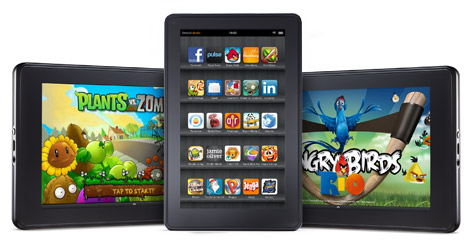
It is easy to over-estimate the importance of the Kindle Fire. Most pundits look around and see the dominance of the Kindle Fire in the US and assume that it is the benchmark the hardware makers have to compete. While the Kindle Fire may dominate the Android tablet market in the US, it doesn't do so internationally, even where Amazon does do business, like Europe. 
Now, the tablet makers have a benchmark set for them internationally by the Google Nexus 7. It is both a benchmark and a response to the popularity of the Kindle Fire. The Nexus 7 is like the Nexus phones, is a demonstration by Google of what it expects the other vendors to improve on. Not to just imitate but build on. Memory is short in the smartphone market (insert your memory upgrade joke here). But just a few years ago, in 2010,  the Google Nexus One phone by HTC was the Android phone to have. Since then other phones have come out and have done better, especially the Samsung Galaxt series. It is 2012 and Google has done it again with the Nexus 7 by Asus.
It is now up to other tablet makers to respond. They have to come out with better tablets at competing prices or with tablets that are aimed for more focused markets like the corporate or education markets. They may also have to go beyond the device itself and start building a support infrastructure around their products. This does not just mean hardware, such as charging stations for the education market. Infrastructure also means software, like fleet management systems where settings, apps and data can be device independent within a fleet of devices. The ability to move the data from device to device easily means companies can keep their staff connected and productive even when the device fails or it taken back for maintenance. Blackberry already does this with their Blackberry Enterprise products and that is one of the reasons they are entrenched in the corporate market. Also the ability to read e-mail using one hand. Android phone makers, look into that.
Despite articles stating otherwise, other tablet makers don't have to worry about Google being dominant in the tablet market. They don't have to worry as long as they are willing to do one better. Improving on a Google example is a key success factor. Again, take a look at the Android phone market. The Google Nexus gave HTC a boost but Samsung responded. They came out with more products and features. The Samsung Galaxy range of phones cover the entry level all the way up to the premium Galaxy SIII. They even created their own category, the phablet with the Samsung Galaxy Note. In the tablet space, Samsung tablets are the only premium tablets with the ability to make and receive normal phone calls. Which is a big thing for Asian markets, despite the required bluetooth earpiece. Samsung chooses to be bold and innovate. In the end, it is up to the tablet makers to come with a better tablet than Google 
This is going to be hard considering that the Nexus 7 was sold at cost. But take a page from the other tablet maker and work with the supply chain to ensure the components are priced closer to the delivery date. This means as more tablets are sold and more orders come in, the prices for components fall. By pricing it further down the road, the cost price of the tablet drops the more they are sold. This in turn becomes an incentive for the tablet makers to sell more to push the cost price down. The component maker usually respond by offering the same components to other tablet makers to make up for the shortfall in margins. The entire process commoditizes the components and usually leads to more tablets having similar components. Which is not a bad thing because it reduces the android "fragmentation".

Thursday, June 28, 2012

Google Nexus 7 ups the ante against Amazon in Android marketplace war


Google announced the Nexus 7 tablet at Google IO 2012. The 7 inch tablet with the $199 price point is aimed squarely at the Amazon Kindle Fire and dislodging them from the no1 spot. It also heads off Amazon's plans to expand the Kindle Fire to other markets like Europe, where Amazon does business.
Google throws down the gauntlet by shipping the Nexus 7 with the latest version of Android, Android 4.1 Jellybean. While Google has an advantage from being the latter device and providing better hardware such as a 1280x800 display versus the Kindle Fire's 1024x600 screen, the real battle is not for hardware dominance but for the Android marketplace. Apple has already shown how lucrative the tablet-commerce space can be. The battle here between Google and Amazon is for customers who will spend money on apps and products in the respective marketplace. Or to put it bluntly, this is for who gets a cut for the business that's being done on the android tablet. Google sells apps through the Google Play store while Amazon sell Android apps through Amazon.com. Throughout the presentation for the Nexus 7, Google emphasized an optimized and improved experience for Google Play content on the Nexus 7 as well updated features such as improved app updates that update only the parts of the app that have changed. While these may be Jellybean specific and will probably appear on all Android 4.1 devices eventually, for now the Nexus 7 is the only one that has it.
Google is also taking aim at Amazon's core business by starting to offer magazines and books through Google Play. They showed off the smoothness of the new e-book reader and were forward with their intentions of selling movies and books through the Google Play store. This is Amazon territory and emphasizes on the concept of the tablet as being a consumption device. The old idea of being able to see something on TV, like Indiana Jone's fedora and being able to purchase a fedora on-line immediately is now a reality. It still takes a few clicks and searches but it won't be long before you could pause the video, touch on an object, have Google guess what it is and offer you to buy it or show places where it could be bought.

Saturday, June 23, 2012

.com.android.phone Crashing Solved

I explain how I fixed the .com.android.phone crash below. I described the .com.android.phone crash problem and I how I narrowed it down here.
While I didn't have access to another computer, what I did have was another phone, a trusty Nokia feature phone with another carrier (with a good voice plan). I popped the sim out and put it my Android. The Sony worked ok and the error message didn't pop up. The phone didn't have a data plan so I couldn't do anything on the Internet without costing an arm and a leg. To be sure, I set it on GSM mode to nip any temptation. Then I tried the Android sim on the Nokia and it couldn't find a network there too. So the culprit was the sim card or related to it.
By now, one part of me was saying to just go and get it replaced. Enjoy the day in park. I was already getting stares with two phones lying around me in pieces. But I knew I was this close to solving this.
I put the Android sim back into the Sony and booted it up. This time, there was no error message. I checked the Mobile Network list and it found the networks but listed only the 2G/GSM networks. It was enough to get past the McAfee SMS verification.
I now knew what was happening. The .com.android.phone process was trying to connect to a 3G/WCDMA network. In order to do that, it must use APN information from the sim card. The APN list on the sim card was corrupted. It tried to use the corrupted values stored in the APN fields and crashed. Since this is a core Android process, a watchdog process saw it crash and just restarted it again, creating a loop.
I called the carrier's support line from the Nokia and they re-sent the APN list. This was a Command/Configuration Message via SMS / text message and didn't use the data connection. Once the correct APNs were added, the phone connected to the network fine. The other casualty were a few phonebook entries on the sim card for the Nokia. I discovered later that a couple of the most recent entries went missing which probably reinforces my suspicion that there is a bug in the routine that handles read and write to the sim card.

Wednesday, June 20, 2012

com.android.phone Crashing: The Problem

The solution to .com.android.phone process crashing is here. This post explained what I did to get to the solution.

I was out enjoying a warm day in the park. That, I think, was how the problem started.
Basically, my Xperia Mini Pro suddenly gave the error "com.android.phone stopped unexpectedly". It didn't give me much of a choice but to Force Close it. Then it began looping the error. The only way to make it stop was to go into Airplane Mode. Once set, I couldn't get out of Airplane Mode. I had lost all network connectivity.
Since this was a relatively new phone, I tried remembering what I learnt from the LG Optimus One. And the number one culprit on that phone was resource starvation, specifically memory. I had 50MBs of Internal Memory and I could blame the Linked.In app I installed earlier as the villain.  But clearing cache and data to free up to 100MBs didn't solve the problem.
I tried removing my text messages because on the LG, they too used up memory. It was hard because the pop-up message was kicking me out of the Messaging application. There was a long draft message with random characters, probably made when I put the phone in my pocket without turning on the screen lock. After many tries, I managed to tap fast enough to remove it. I rebooted the phone with the same results.
I was in the park which gave me a significant disadvantage. Since I had no network connection, I couldn't get to a PC to look up the error message. So the next thing I could think of was that it was a malicious act, one of those mobile trojans I keep hearing about. I opened Settings and navigated to Manage Applications, looking for the com.android.phone process. I remembered seeing applications like those on the LG. I couldn't find any. I was getting worried. Maybe a malicious program had come in and deleted the file. That would be the equivalent of deleting command.com in Windows, making a statement that the machine had been 0wned (yes, I am that old). I opened the file manager and tried looking for the com.android.phone file. I couldn't find it which made me think that it was true. Then, I did a sanity check. Android is more akin to Linux than Windows. There is a possibility that .com.android.phone isn't visible to me since the phone wasn't rooted (yet). So I had to think like I would on a Linux box.

Monday, June 18, 2012

Kicking the tires on Google Current

I wasn't happy with how Dynamic Views look like on tablets. So, I am trying out Google Currents as an alternative. I wanted to play around with it to see how it works.
Google Currents is both an advanced RSS feed reader as well as future platform to compete with Apple's Newstands. A user can subscribe to RSS feeds as well as magazines within Currents called Editions. Anybody can build an edition and draw content from their own stuff as well as create all new content just for the edition. So there is a Techsplatter Edition on Google Current that you can try out. If you are on a tablet, open that link and install the app on IOS or Andriod. Click on the link to subscribe to Techsplatter on Google Currents. It is a bit spotty but I am sure it was due to me or them.
I will changing around stuff and experimenting with it. I really would like to hear back on the things you like and the stuff you don't. There is some extra content there but not much. My entertainment review site, watchlist.blogspot.com has it's Gooogle Current edition. That has more content that I draw from other places like YouTube and my other sites.

Wednesday, June 13, 2012

Xperia Mini Pro Review

LG P500 / Optimus One
I lost my LG P-500 / Optimus One a few weeks back. Which is a bummer as I am between jobs and can't afford the phone I want. But I still needed a phone to do work.
I reasoned that rather than let my contract go to waste, I would be better off buying a cheap Android phone. I narrowed it down to either the Samsung Y or the Xperia Mini. Both were similarly priced but I really wanted a bigger screen. I settled on the Xperia Mini Pro. Although the screen isn't bigger, the slide-out keyboard meant that half of the screen won't be taken up by the on-screen keyboard. Since I spend a significant amount typing, this is a big plus. The price was not too much more than the Xperia Mini and the difference wouldn't have gotten me a Samsung phone with a bigger screen anyway.
I checked out the reviews. They were either positive or positive with a few caveats. But beggars can't be choosers so I got the phone.
Sony Ericsson Xperia Mini Pro
After using the phone for some time, I do agree with most reviews that the 5 MP camera is not good. The pictures it takes are too blocky for a camera with that resolution. I had a Blackberry Bold with a 3.5MP camera which gave better pictures. It reminded me of the early, cheap 12MP camera which were made to appease megapixel chasers. Pictures taken were either too dark or had elements that were too visible. Using third-party camera apps helps with the overall picture but won't improve the quality. Lowering the image resolution doesn't help. Sad to say, even the LG's camera was slightly better. It's good enough for that quick snap or family moments but it won't be replacing a dedicated camera anytime soon.
The good news is that's the bad news. Everything else about this phone is great. It is an example of a design idea well executed.

Recently Popular