Showing posts with label Linux. Show all posts

Wednesday, May 19, 2021

A problem not big enough to solve?

In open source, 'scratching your itch' is a source of birth for many a project. It makes the assumption that someone who has a problem a.k.a. "itchy", has the resources (e.g. time, effort) to develop a solution (or scratch that itch). With so many open source solutions already built using this time-honored method, the issue nowadays is more of finding the project that "scratches your itch" than actually building one of your own. In fact, this has lead to a lot of dead projects, some of which were brilliant but lost in the shuffle. 

But it surprised me to discover an itch, a problem, that should have been so prevalent that someone should have done something about it. 

I was setting a new MSWindows10 environment at home and decided I needed to be able to access a Linux box remotely and do so while being able to run X11 applications remotely from the box. My go-to solution has been MobaXterm but since it is Freemium solution, I have always installed it with a caveat. I also didn't like it charging for was basically integration of existing open source solutions (in a way, at least). Okay, re-packaging. I remember seeing an alternative called mRemoteNG which sort of has the same features, is open source and expandable.

<a href="https://iconscout.com/illustrations/solved-the-problem" target="_blank">Solved the Problem Illustration</a> by <a href="https://iconscout.com/contributors/manypixels-gallery">Manypixels Gallery</a> on <a href="https://iconscout.com">Iconscout</a>
I downloaded a portable version and in no time was able to reach servers via SSH tunnels. It does rely on external applications, like Putty, to do the actual connection. But the presentation and configuration management features it provided was very much welcomed. Finally, I decided to use an X11 application on the server. MobaXterm has a built-in X11 server and using it was a no-brainer. But mRemoteNG has no documentaion for it. Even on-line, people did provide suggestions like using the VcXsvr X11 server for windows but no clear indication anybody has successful done so. Which is odd considering running an application from a linux box would be one of the things one would do after connecting to a Linux box. Or have we been disciplined enough to limit ourselves to command-line?


I used XMing back in the day but there are warnings that it doesn't run on Window10. There seemed to be a myriad of things to consider when setting up VcXsvr (e.g. display number, permission settings) before being able to run a single X11 application. Which is strange considering the X11 architecture was intended to allow complex X11 applications to run and consume resources on the server and just provide the UI to the user. 

So I chalk this up to an itch not itchy enough to solve. Nobody has done the work and shared the way to setup mRemoteNG with VcXsrvr. Someone has solved the connection part and the ability to run X11 on Windows. But no one has setup mRemoteNG together with VcXsvr. And that is a shame given that MobaXterm runs X11 apps straight from the ssh window. 

Maybe MobaXterm is the problem solved but nobody it willing to take the extra step and make an open source solution for it. Like I said, not itch enough.

Sunday, May 16, 2021

Pandemic and Mageia Madness

Fortunately, the pandemic has little negative impact for me. Working from remote, couped up in the house,endless remote meetings. Tell me something new. It's just more of it. And my exprience with work during the pandemic is opposite of most, I got even busier. New clients looking for a cheaper way of doing the same things. Companies looking at open source solutions mainly as a cost reduction option, suddenly okay with solutions that cost less even though it sticks out in their MsWindows environment. I'm not complaining but some days, I'm am at the edge of it.

 I've recently moved to the most recent version of Mageia. Well, forced to was the more likely. A distro upgrade broke and screwed up the loading of the kernel. I could try to fix it but decided to just start fresh. The data directories were in a different partition (best practice ever) and installing fresh would just mean I may had to deal with the configuration setting differences between the older KDE/Cinnamon with the most recent one (since it was reading my existing home folder). Long story short, it worked like a charm (other than my USB stick coming down with a case of bad blocks).

Then came the whole process of reconsidering the apps I really needed vs the apps I wanted (but almost never use). This is where my thoughts of the needs of the average user return. Does the average user use the apps I use or need? Do they use apps that I don't? This is important to me as a Linux advocate because if Linux doesn't meet the need of the average joe, then the adoption will always fall short. 

This was a slow start.

Friday, August 11, 2017

Why I think SystemD is acting like a bully

It's seems that I post only to complain about Systemd. I have tons of other articles in draft but only the ones about systemd drives me hard enough to complete them and post them. My other post on SystemD took some time longer but this was written in record time.. So much so that I write as a form of release or therapy in the face of all the roadblocks systemd has put between me and what I want to accomplish.
Systemd is a way their developers of saying to all the guys who have been doing Linux longer than them, "Sorry, what you knew then, is worth nothing now. We are the next generation and we are changing the game." Typical talk from the young who thinks they know it all. It gets worse when you think they are also saying, "We saw something better and we are doing it that way." when what they really saw was Linux through a terminal session in Windows or a Mac. The behavior of pushing people up the stairs, even when you don't really know whats at the top. All they see is light but it could just as well be a cliff.
While the dev seemed to claim they were seeing the light, it's that odd that one of the main things systemd did was blind others to what it was doing by making other people jump hoops through journalctl. It kicked syslog to the curb even though it didn't do everything syslog did. Being opaque was the order of the day.
Systemd is a solution looking for a problem. Rather than building a layer on top of work done before, they decided to start over, which was ok but then said "It's my way or the highway." and "We'll redo the tools you made before but they'll only work with our stuff, our way." It doesn't necessarily improve anything, only just for completeness of control when it's just masking "I can't be bothered interfacing with anyone else's stuff". Systemd has a bully mentality and it probably rubbed off from the people who developed it. It also has a Windows mentality of "(more) complexity is the solution" and "security is what we do later".  Which telling of where the developers get their ideas from.
Basically, RedHat, who is funding this realizing this or not, gains the most. They can't control Linus and his kernel team. So, why not build a wall around the kernel and forcing everybody to go thru systemd to get daily things done. Linus can do what he wants in the kernel, RedHat controls the doors leading to the kernel. And a knock-on effect for them is more people require retraining because all that knowledge accumulated is worth less now with systemd.
Let's get this straight, systemd works when it gets out of the way, like in desktop distros. I run Mageia and it's wonderful. I don't have to deal with it directly. But when it makes previously simple tasks complicated forcefully, then we have a problem. If it changes stuff while I am configuring other things and claims "but I told you so in the logs that you have to enter 4 parameters to make it readable", we have a problem. Look, things aren't perfect and improvements are always welcome. And Linux people love to learn new stuff. But it's hard to compare when the first thing done is say "I'm the only one competing." And being forced to learn is always a turn-off.
But I guess we are living in times when bullying is ok.

Monday, December 28, 2015

Systemd is not the end of the world but someone needs to save us from it

This post has been months in the making. I believed I've reduced the rant-iness to a minimum level. It add nothing to the discussion elsewhere on the Internet. It is however, a burden off my chest.
I became aware of systemd as an init system in recent months as it gained traction in Fedora and it's competition with upstart. I didn't give it much of an interest as it primarily dealt with services that are more associated with the desktop: Plug and Play, power management etc. Imagined my surprise when I installed CentOS7 and it was the default init option. And going back wasn't an option.
The discussion around it's adoption has been intensive. This is a website that documents the fallacies in the arguments against for it and the follow-on discussion for a now-dead website advocating for boycotting it.
 My main beef with systemd is philosophical. Systemd's complexity and how it goes against the concept of "many simple programs doing basic jobs well working together" is not where Linux should be going. While many deride this backward-looking, that concept has served us well and has brought us this far. Yes, I do know that not everything that has brought us this far can carry us into the future but that point is evident only in hindsight. We should try new things but not at the cost of what works.  They should also be subject to discussion and mutual agreement. And finally there should be a transition between what is to what will become.
The opposite of this concept is "one big program doing many things complicated things", the best example being Windows. While some point out that systemd is a collection of applications, they are being developed together as a whole and made inter-dependent.
Another beef is the sense of (or lack thereof) of community around the development. The fan-boy-ism around it and the attitude of the developers (e.g the attitude towards corruption in binary logs) is alienating. Although it runs both ways, it is more healthy on the sysvinit side of things. I understand why there is a strong push-back from parts of the Linux community. This is the age-old difference between Linux users that are excited by solving problems and those that like to go home at the end of the day. Systemd is this complicated box / tool that can be used to solve complex problems in a complex way.  

Monday, February 24, 2014

Recover from a bad superblock

When things go really bad, you may not be able to recover a disk. In those times, think of salvaging the data, reformat and live to fight another day. Consider how valuable the data is versus the time spent on repairing something that is damaged and may not be salvagable. testdisk photorec ddrescue are the tools to think of when you come that decision
But I do enjoy a challenge and when a USB disk was brought to me with mounting problems, I just couldn't pass it up. It was an uncommon setup. The USB stick had two partitions, one with an ext3 filesystem and the other with FAT32. I decided to focus on the ext3 filesystem first.
FSCK
FSCK (Photo credit: SFview)
To cut a long story short, my efforts to mount the disk met with screens full of error messages and cryptic clues as to what went wrong. Running fsck seemed to clean it first but it still would not mount the partition. Running fsck again would yield more and a different set of errors. My previous boss love to used the expression "time to decide: Fish or cut bait". It was one of those times.
This is probably the last ditch effect before you make that fateful decision. This is the line in the sand and the one you have to cross before deciding to put your effort in getting the data out and start all over again.
The recovery process involves rewriting the information about the partition. Specifically, reinitializing the superblock and group descriptors. However, reinitializing does not touch the data part of the partition. It does not touch things like the inodes and the blocks themselves. So by starting out with a 'fresh' set of information that is used to mount the disk, there is a possibility that the data may still be readable. After that, the data part gets checked and hopefully what you end up with is a filesystem that can be mounted properly.
The process can only be done when the partition is not mounted. If you have tried other ways, it most probably isn't. Mine wasn't, obviously.
So here's the process.
1. First, figure out the block size of the USB drive (in this case /dev/sdf1). I need that information to re-build the partition information. Run the command
dumpe2fs /dev/sdaf1 | grep 'block size' -i
Block size:               4096

2. Then format the superblocks. The command below won't format the whole partition, only the superblocks. It is critical that you use the correct block size gathered from the previous step
mke2fs -S -b 4096 -v /dev/sdf1

3. Now that the partition information is 'fresh', I checked the inodes to figure out what else could be wrong with the filesystem. Remember ext3 = ext2+journalling. So, ext2 tools still work
e2fsck -y -f -v -C 0 /dev/sdf1

4. Now that I've done with one element of the ext3 equation, it time to fix the journalling system or more specifically the journal data .
tune2fs -j /dev/sdf1

5. Re-attempt to mount the partition. If everything went well, you should be able to mount the partition and read the data.

After that, for hard disks, you have to determine whether the disk has reached it's threshold limits. Things like SMART properties will help you get that information.

Interested to know more: http://ubuntuforums.org/showthread.php?t=1681972&page=5&p=10434656#post10434656

Enhanced by Zemanta

Sunday, February 16, 2014

Is Ubuntu is licencing Linux? Canonical looking for value in the wrong places

Linux Mint 11
Linux Mint 11 (Photo credit: Wikipedia)
Full disclosure: I am no fan of Ubuntu. I applaud their efforts to put Linux in as many hands as possible with the free CD distribution effort but I'm of the opinion that Ubuntu puts itself above Linux while riding on the contribution of open source developers to Linux in general. I applaud their focus on making Linux user-friendly but I'm of the opinion that their effort is no more better than of other distro developers like Mandrake/Mandriva in the past. To top it off, I've predicted the path Ubuntu will take eventually once it has decides it does not need the community any more.
So it comes to no surprise the latest move by Ubuntu to protect 'it's intellectual property' is to licence Ubuntu. Sounds harsh? Some people will think I am being unfair using language normally used to describe Caldera. How else should I react when Canonical is asking derivative distros to sign a license to use 'Ubuntu binaries'? Ubuntu apologists have already made their stand known. They have made light of the gravity of the act of demand to licence and trying to convince us that the issue is about protecting the Ubuntu brand when it comes to derivative distros, Linux Mint, specifically.
I have ask: Why Linux Mint specifically? Does Canonical ask the same from Kubuntu and lubuntu? Is it because Linux Mint is becoming increasingly popular at the cost to Ubuntu? I've been thinking about writing of the possible danger of other distros basing their work on Ubuntu and how dangerous it is to base their work on a source that is actively consolidating their hold on it. I guess I don't have to now.
Really, I don't. At the end of this post are links to articles that go into this deeper.

Wednesday, September 18, 2013

Fix CMOS Battery Issue with NTP: the NetworkManager Edition

While in the previous article, I described a solution to trigger a script when the network goes up. This works on most server Linux setups but it does not work if you are using NetworkManager. NetworkManager has a different way of doing this. If you are not sure whether you are using NetworkManager, consider this: if you are using a wireless network and configuring it using an applet in the task bar or through a GUI program, it's likely that you are using NetworkManager. That and the fact that the script in my previous article didn't work.
English: The default NetworkManager applet
NetworkManager applet (Photo credit: Wikipedia)
NetworkManager can still do it. It can run scripts after a network interface is connected or disconnected. It's just not apparently forthright about it. But first a little clarification. In Linux parlance, when a network is connected, it is known as "a network being brought up". This is because the network interface state is changed from DOWN to UP.  And vice versa. When talking about network connections, both set of terms are used interchangeably.
NetworkManager offers this feature through a mechanism called a dispatcher. Basically, the dispatcher looks into the /etc/NetworkManager/dispatcher.d directory and run scripts saved in there. Scripts start with a two digit number that determines the order they are run. The scripts are passed two parameters from the main NetworkManager system. They are the network interface that was connected or disconnected and whether it was connected or disconnected.
In my case, I didn't care which network interface it was but it had to be just connected. So the script looked something like this.

#!/bin/sh
#
# Run ntpdate when network interface goes up using NetworkManager
#
export LC_ALL=C
if [ "$2" = "up" ]; then
        /usr/sbin/ntpdate -u pool.ntp.org
        logger Updated time due to network interface going up
fi

Save the file as 10-ntpdate.sh and change it's attributes to be executable. Drop that into the /etc/NetworkManater/dispatcher.d directory. That's it.

Thursday, September 12, 2013

Solve CMOS Battery Issues with NTP

A Hewlett-Packard Mini 1000 netbook computer, ...
Hewlett-Packard Mini 1000 netbook Photo credit: Wikipedia)
I guess it was time. My HP Mini 1000 netbook was giving me the wrong time and date every time it booted up. It made going to websites with HTTPS impossible because I was apparently accessing them from the past. Resetting the time didn't work because it would forget the current time and reset back to 2002. I would then manually reset the time using ntpdate.
After a few times, I got tired of this and decided that there is a better way. Since the netbook is connected to the Internet most of the time, I knew that a script could be triggered to run every time the network card started up. All I needed to do was to add the ntpdate command and options to it. Problem was I didn't know what script it was. I wasn't also big on making a custom change that would affect future updates.
I knew the scripts that set the network configuration was in /etc/sysconfig/network-scripts. My network interface family was eth so the script that set it up was /etc/sysconfig/network-scripts/ifup-cfg. At the of end of the file was the command

exec /etc/sysconfig/network-scripts/ifup-post ${CONFIG} ${2}

Reading the /etc/sysconfig/network-scripts/ifup-post file, I found the following command at the end.

if [ -x /sbin/ifup-local ]; then
    /sbin/ifup-local ${DEVICE}
fi

However, the file /sbin/ifup-local does not exist. So I created one with the ntpdate -u pool.ntp.org command in it.  So now, every time the network is configured, the time is correct.
I know it doesn't address the problem of the battery being dead or needing replacement but it'll do for now.

This didn't work for you? Maybe you're using NetworkManager. Run NTPDate automatically with NetworkManager too.

Enhanced by Zemanta

Friday, May 10, 2013

Will Ubuntu eventually go BSD?

At some point, I think, Mark Shuttleworth looked back and thought, 'I wish I chose BSD instead of Linux'. Imagine Ubuntu powered by BSD or FreeBSD instead of the Linux kernel. Crazy talk? Speculation? Definitely.
But the thought couldn't help cross my mind when I look back at what Ubuntu have been doing the last year or so. The trend is very clear. They are moving away from Linux and perhaps GNU Open Source.
First was the use of the term 'the Ubuntu kernel' instead of the Linux kernel. You would be hard-pressed to find the word Linux on the Ubuntu website or paraphernalia. I can't fault Ubuntu for maintaining brand prominence. But why at the cost of diminishing the Linux brand. Surely, Ubuntu is not ashamed of it's Linux core. Some people have pointed out that perhaps they want to distance themselves from their Linux heritage. To this, I point out that it is only a heritage when you are generation removed. Like Linux's Unix heritage. Ubuntu is still clearly dependent on Linux. In a way, I do see their point. Perhaps there are almost no Linux references in the website because they really want to prepare us for an Ubuntu without Linux. 
Then there is Unity. Maybe Ubuntu saw what I saw in the debacle of Gnome3. The sense was simply that the Gnome developers betrayed their user community. But instead of offering a safe haven for the majority that didn't agree with where Gnome is headed, Ubuntu saw this as opportunity to differentiate themselves even further. They created another environment, open source but definitely under their control. They were hoping that users will flock to that instead as an upgrade path from Gnome3. In the end, Unity didn't look much different than Gnome3, users faced similar issues and they even share design principles. Ubuntu just applied them to different parts of Ubuntu. And their goal is evidently the same, a touch-friendly, tablet interface. No matter how much the Gnome developers protest and claim otherwise, the proof is just in the result of their work. If fact, when taken from that perspective, both Unity and Gnome3 are really good. Problem is, most users still don't have touch screens. The Gnome developers may want their Star Trek dream to come true, most of us just want to check mail.
The biggest step Ubuntu has taken so far is to move their graphical display technology away from X Windows to something that they themselves developed called Mir. Let's get something clear first. X Windows has a lot of problems. It is very simplistic in nature, mainly because it was designed in the 80s. It even needs a separate program to manage the windows and make them move, maximize and do even the most basic functions. That doesn't even include what we normally expect from a GUI like cut and paste between applications. KDE and Gnome were built to fill the need for a graphical system that does more. But at the core is the fact that X Windows offered cross-platform compatibility. I remember selling linux boxes as replacements to expensive Sun and HP graphical workstations. The X Windows applications still used the powerful CPUs of the servers while the workstation only busied itself with managing the GUI. Ubuntu moving to Mir breaks this compatibility. They had originally planned on using Wayland to replace X. Wayland respected X and offered a way to coexist and interact with X. Mir doesn't seem to care about that. What it also means is that future Ubuntu users can't share their applications with other Linux (or even Unix) distros and vice versa. But that is only good for Ubuntu because it create a lock-in. Ubuntu say it really wants to build a graphical display system that could be used for both desktop and mobile platforms. If it locks in their users and makes applications written for Ubuntu exclusive to them, then what downside is there for them?

Monday, February 04, 2013

Going Minty: LinuxMint 14 MATE

I am not an Ubuntu fan. I stand firmly on the RPM side of the fence. Not for any one particular reason. If I could pinpoint it, it could probably be the pain I felt installing Debian for the first time. And the glacial pace of it's development. This from someone who began installing Linux from tgz files. So I shied away from anything deb based.
I also particularly loathe the fact that Ubuntu focused their efforts on the desktop (they were roundly criticized for not contributing to the kernel at one point) and then glorifying themselves as the Linux distro for everyone. They committed what many geeks consider a cardinal sin, put their name above that of Linux itself. In fact, while other distributions were calling themselves Linux-this or Something-Linux, Ubuntu decided that their brand was to be put forth in place of Linux. And that effort has worked. Ask most users who have heard of Linux and most likely they have heard of Ubuntu. In fact, I used to find people who know about Ubuntu and not heard of Linux. Worse off, they knew nothing about other Linuxes other than Ubuntu. "What's RedHat?". And when they started to refer to the kernel as the Ubuntu kernel, I was convinced my position to not support them was right.
But all that changed because of Gnome3. There is no secret how I hate Gnome3 and how it represents the Gnome developers attitude to their community of users. I have a problem because I have been using Mageia, having followed the community there after the split with Mandriva. And they have decided to focus on the KDE desktop while offering Gnome3 as an option. A lot of people think that in the past, Mandriva is a KDE distro but in reality support has been equal for Gnome. In fact, the pervasiveness of the Mandriva/Mageia Control Center makes the decision style choice more than a technology one. I am writing this on XFce on Mageia, which I consider a viable alternative, although at times it feels like a downgrade.

Thursday, January 24, 2013

Microsoft's invests in Dell to cut off Linux?

Update: It's official. Microsoft has a hand in taking Dell private to the tune of 2 billion. Is this a loan like the 'investment' was in Apple?
Dell is considering taking itself private. This is nothing odd, most successful companies with a large cash pile will consider buying back their public shares, taking them private. They would then do business as usual for a time before taking themselves public again, this time at a higher value. If you are interested why, there are some possible reasons why explained at the end.
So while Dell considering taking themselves private is not really interesting to technology watchers, the rumor that Microsoft and Silverlake Partners is reported to be involved in the buy back of those shares and coming in as investors is interesting. So why now? And why Dell? Microsoft has not been successful with hardware (other than their mouse and keyboards). Xbox is a success but it's success comes from games software and subscription services rather than just hardware alone. Case in point, the Microsoft Tablets and the Zune. So the question is what would Microsoft gain from having a say in the running of a PC manufacturer.
This could be another front Microsoft is pursuing against Linux. Dell made it no secret that they were investigating the viability of having Linux as a desktop OS option. The well reviewed Dell XPS 13 Developer Edition or Project Sputnik and regional versions of laptops pre-loaded with Linux are examples of their efforts. The adoption of Linux as a Desktop OS option by a major PC manufacturer would spell big trouble for Microsoft. While Dell has offered several Linux OSes such as RedHat and Ubuntu as options for a server OS, this has not been a real threat to Microsoft. This is because of the use of Linux on servers has a low consumer profile and the fact that Microsoft makes more money on the connection licences on the server than the sale of the server OS itself.
Another interesting twist to this story is the involvement of Silverlake Partners. While many know of their collaboration with Microsoft on the Skype deal, the people behind both companies share a more darker past in relation to Linux. Both are entangled in some way with SCO as it was launching it's legal battle against Linux.
Is there something more to this?

Thursday, October 18, 2012

MSI CR650 Review with Linux

Update: I've given up on the proprietary ATI drivers. Read on to find out how to remove the ATI proprietary drivers.

In my previous post, I installed the Ubuntu-powered ZorinOS 6 on my friends notebook. That notebook is the MSI CR650. I've been able to kick it's tires for a while now and I'm sort of impressed.

Let's get one thing straight. This is no screamer. It is an AMD Fusion E-240 CPU powered notebook. It runs at 1.6Ghz and incorporates the AMD Radeon HD6310 GPU which gives it better than average performance than what you would normally expect for a notebook within it's price range. At 2GB of RAM, it is a bit cramped for Windows but great for Linux desktops.
If the specifications look odd, don't worry. Apparently, different regions get different specifications but since the difference is only in the bundled OS (or not), CPU and memory config, MSI didn't bother changing the model number. Minor things, you know. It's the chassis that matters. And if you are buying this variant of the the CR650, you are better off with a Linux distro.
Since ZorinOS 6 is essentially Ubuntu, you can equate my comments to any other Ubuntu variant like Mint or Ubuntu itself.
Most everything runs out-of-the-box. Just keep to the mantra of Install, Update and Reboot before doing anything else and you should be fine. I panicked when the wireless didn't seem to work at first and tried to fix it before the first big update. Wrong. Just let it go, do the Update and Reboot. And then judge.
My advice to anybody buying a notebook, go and buy it yourself at a shop. Pick it up and feel it's weight. The CR650 is a bit on the heavy side. I blame that mostly on the larger-than-most 15.6" screen. Running at max resoution of 1388 x 768, the screen is a beauty, a heavy beauty. The batteries do contribute but not normally more than other notebooks.
The full keyboard took some getting used to. I've used a similarly large HP with a full keyboard before but the CR650's keyboard posed some challenges. Mainly it's keys are not full size, just slightly smaller. Worse, the right shift key was cut in half to make way for the direction keys, which meant I pressed the up arrow key a lot. While the numeric keypad would be useful for someone who needs to enter numbers by the truck-load, I would rather had a full keyboard. Plus, the location of the PgUp and PGDn keys need getting some used to. Special Fn keys all work with the exception of the Eco key which is supposed to change the power usage profile. I don't know whether it works because there is no feedback. Dmesg is silent. Even if it works, I couldn't see any difference. There is a slight lag when pressing the volume keys but not much. The top row special keys next to the power key are all user configurable so you can assign them.
There were some Linux-specific issues faced.

Tuesday, October 16, 2012

Modify a PDF


I received a comment after my recent post on how to combine PDFs. The result was that I was reminded of another PDF tool called pdftk. It's a command line tool that does a lot of things on a PDF files. You can extract pages, burst the entire PDF into individual PDFs and yes, merge multiple PDFs into a single PDF. So, if I wanted to do the merge the same documents with pdftk, the command would be

pdftk source1.pdf source2.pdf source3.pdf cat output merged.pdf

PDFtk can also encrypt or decrypt a PDF. That means putting or removing password protection.
It can even insert a watermark or a stamp. The difference being is that while a watermark is an image underneath the document text, a stamp is an image or lettering on top of the document. An example for this is  a stamp marked "NULL AND VOID" on a document. But that it not the strangest thing it can do.

Thursday, October 11, 2012

How to combine PDFs

Recently, I had to figure out how to join pdfs files into one. This used to be something non-trivial. Nowadays, you can use SimpleScan to scan in documents and create a multi-page PDF. But a few days ago I found myself on an older Mandriva PC with a scanner and the need to create a multi-page PDF. I scanned the pages of the documents with trusty old XSane.  Now I have the pages individually. I was thinking of something clever like opening up Scribus and pasting each image per page. I was also thinking of pasting the images in a OpenOffice document but the images would shrink too much. I gave up thinking like a Windows user and looked at the problem in it's most basic form. I could print the images into individual PDFs but then I would need to combine them together. I was thinking along the lines of printing out in postscript and then concatenating the files together. Then convert the resulting postscript file into a PDF, which is trivial.
Finally, I decided I wasn't that smart and asked Google. I found the answer here, in a Macworld article, of all places. Basically, I had to print out the pages individually as PDFs, which involves setting the printer to print to file. Then I use good old Ghostscript. The command is

gs -q -dNOPAUSE -dBATCH -sDEVICE=pdfwrite -sOutputFile=merged.pdf source1.pdf source2.pdf source3.pdf etc.pdf

Replace source1.pdf, source2.pdf, source3.pdf and etc.pdf with the names of the files that I had printed earlier. Run the command and rename merged.pdf and I'm done.
Basically the command takes the list of pdf files as input and 're-prints' them out as one pdf file using the printer definition called "pdfwrite" which is a basically generates a PDF output.
Never underestimate the power of the command line tools.
Here is another tool I found to change PDFs.

Monday, October 08, 2012

The Elusive LibreOffice Title Slide

Warning: this is a rant over 10 years in the making. I don't know why it doesn't bother other people so much. Maybe because they have given up. Maybe because every time I make an alternative choice. Isn't that part of the story of open source? Don't like something? Make another choice or fix it yourself. The "scratch your own itch" thing.
For me, this has been the StarOffice / OpenOffice / LibreOffice Impress Title slide.
For those who have not noticed, the title slide for the presentation software is not a real title slide. It's not a real title slide because it does not have a separate, different background from the other slides. It also does not have a different layout than the other slides. Perhaps because it doesn't have a different layout, it also does not have a different format scheme. Which makes the Impress 'title slide' nothing more than a normal slide without the content body. 
Don't even try to point out to me the 'Centered Text' layout. That is just a content slide without the title. Plus, changing the format in the Master Slide does not effect it. Which could mean that it is on par with a title slide. Except that you can't have consistent title slides because the format of the Centered Text layout must be changed individually. Which is fine for a 10 slide presentation with a single Centered Text/Title slide but not for anything requiring 3 or more Title slides.
You can create another master and move the title on the title master to where you want to. And even change the background to make  it you unique. But you have to change back because when you add a slide the title of the next added slide will be where you just moved it. That is even more kludgy than the Centered Text layout. 

Tuesday, September 25, 2012

When in doubt, Webmin

I was listening to the Linux Outlaws podcast. Well catching up more likely. My time has been quite filled up lately and I'm behind on my listening to podcasts. I don't listen to a lot but they are just so deep and the discussion that go on just spring my own opinions and ideas. Some of it, those that are better formed, end up here.
I was listening to the edition that was done right after OggCamp. By all accounts it was brilliant. Well, except apparently there was some problem with food for the volunteers and that there was a mixer with some grannys. It's hilarious and you should listen to it yourself.
But what piqued my attention was Fab's issues with setting up a DHCP server. He had some problems and that although there were loads of Linux people around, most of them couldn't help him. Not that they didn't want to. But it's because they weren't Linux server people. They were Ubuntu users but mainly on the desktop.
Now I'm a server guy. Or so I keep telling myself. But I was wondering what would I do in Fab's situation, given that I have some basic ideas for what to do. Or what would I tell someone in that situation.
Well, there seems to be only one sure thing to do. Install Webmin. The dependency is Perl and no distro worth it's salt does not have packages for Perl. Perl was the PHP of it's day. And for most of the stuff that you want to do with Webmin, the standard perl packages would do. Even then, if you do need them, Webmin is smart enough to suggest to you what to do or ask permission to do it itself.
So if you are ever caught having to so anything server-like on a Linux box (or Solaris box for that matter), just grab Webmin from the distro's repos or the webmin site itself. It supports many languages and has add-on for all sorts of things. But even with the standard Webmin, you could do almost all of the daily admin tasks. I do recommend installing it and gaining some familiarity. Help is uneven with some modules having excellent help while others barely have any. Install it even on a desktop machine, it'll work. There is almost no difference in the basic OS for a desktop and a server.  So give it a try. It's not the first time I've thought webmin is great.
Enhanced by Zemanta

Saturday, September 22, 2012

Kicking the tyres on Ubuntu ZorinOS 6

A friend of mine asked me to install Linux for him. Now, I get that request a lot but this friend of mine isn't your typical PC user. In fact, he had 'graduated' from Windows XP to the Macintosh recently and was facing some other problems on that platform. It wasn't too hard for him, it just required for him to think in a different way.
He wanted me to convert a low-end laptop he bought so that he could try Linux out and eventually send the laptop to his parents. He understood the problems Windows can be but wasn't sure how his parents would deal with a Macintosh. He chose Linux because he has seen me lock down a PC using Linux and was keen on reducing the support calls from his parents. Why not a tablet, which seem more appropriate given their design is to limit the user to one app at a time? His parents understood the PC and would find this slab of glass too futuristic to deal with. Like my parents.
Since my friend was going to do the support himself, I had to choose something that was easy to support and support would be available easily to him. Plus it had to look cool. My go-to distro is Mageia. It's is extremely easy to support but Mageia2 with Gnome3's spectacular dive into utilitarianism, the looking-cool factor is gone. KDE was tempting but I've been down too many rabbit-hole support calls with KDE when the user tries poking around with the settings. I'm sorry but while I love KDE's customability, it's not for the newbie who may be overwhelmed with choice.
I looked around and finally, settled on ZorinOS. On paper, it was perfect. Powered by Ubuntu means that a lot of resources are out there (people and webpages). But it also has the cool factor down to a pat. So I downloaded the ISO, loaded it on a USB disk with unetbootin and loaded it up on the MSI CR650 laptop.
Which disto had the first graphical installation tool? I'm not sure but I was using OpenLinux in 1998/9 (before Caldera was bitten and became evil) and it had an graphical installation tool. This means it has been around a long time and that by now, all the major kinks should have been worked out and all we have to look out for are the small stuff, the details. Well, I'm not sure why, but after installing all the files, ZorinOS wanted to install Grub on the USB disk. "No matter," I thought, "I'll just change it so that it'll install it in the right disk." Well, the place where to set that setting was the same screen as setting up a custom partition scheme, way back in the beginning. So I had to set up the custom partition scheme in order for it to install Grub in the right place. I deemed this the lesser evil than dealing with which version of Grub was I looking at and the non-standard device numbering it has.

Thursday, September 20, 2012

5 ideas for the awesome Linux tablet

There is still life for the Linux desktop. No matter what the Mac guys say or the Windows guys thumb about, Linux on the desktop will not go away. It's a choice where you don't have to sacrifice security for convenience nor sacrifice IQ points to use them.
But beyond the Linux desktop lies the Linux tablet. I love Android and I do consider them a legit Linux distro, but it's not the same. I need my Gimp, OpenOffice, Inkscape and one day, Scribus.
It's still some distance away but here are my 5 ideas that will make the Linux tablet awesome.

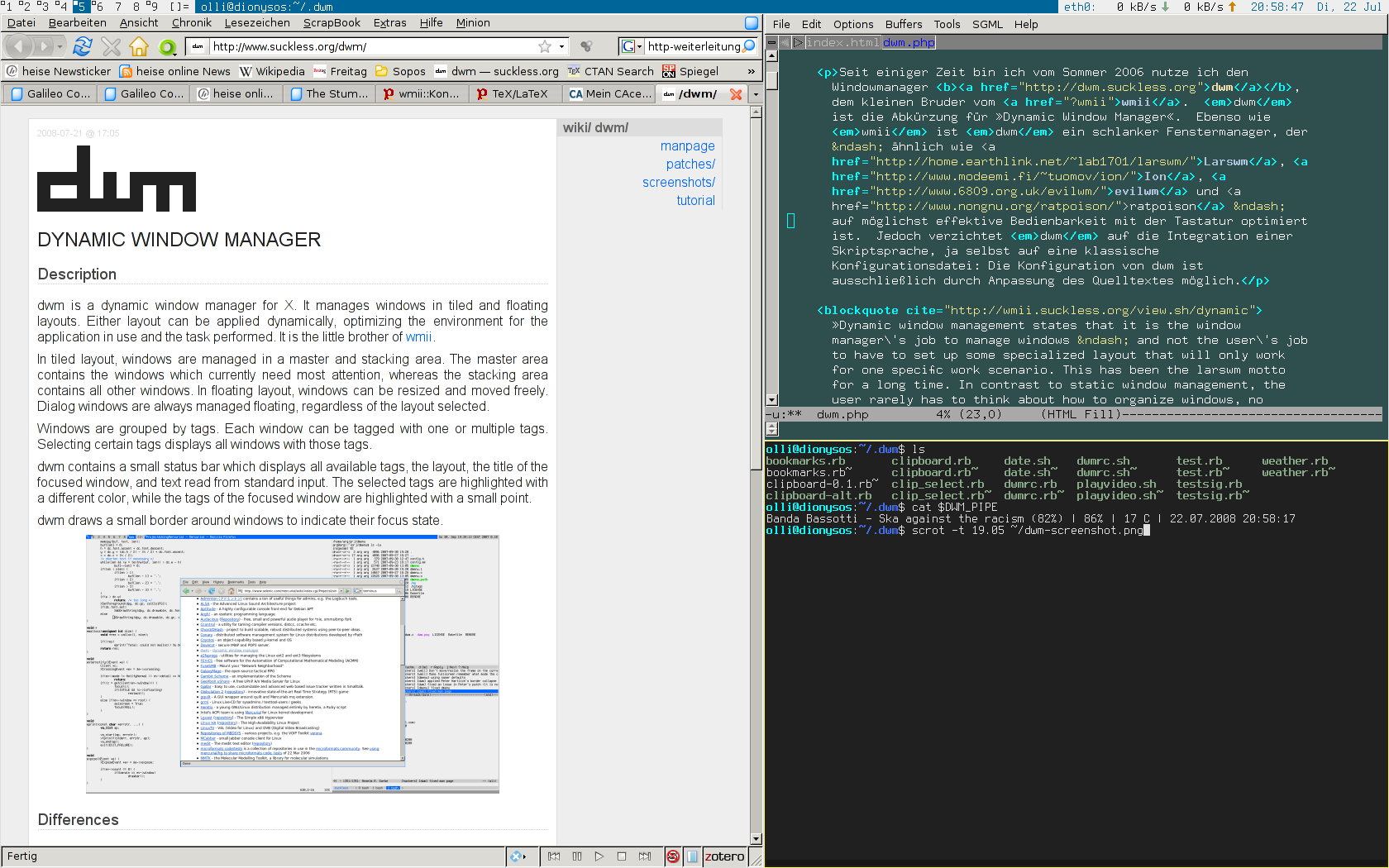
1. Bring back tiling windows. The window manager that will power the Linux tablet must do tiling windows. Yes, a tiling window manager. Before any of you cry out a Windows 8 patent violation, Linux has always had that, in one way of another. Compare them if you want. I've had a soft spot for DWM but I think by now the Gnome3 guys would have figured tiling windows out. Why not? It's their philosophy to throw things out. Why not the desktop background?
But seriously, the tiling windows manager will allow the user to utilize the screen space more efficiently. The tendency of tiling window manager will try to fill the screen, giving the user the maximum visible access to open applications. The user can dock / minimiza applications to free up more space and the window manager will automatically resize. If it comes to an arrangement where one application is given more desktop space, the user can toggle which application is given the biggest space.
We all know that running applications full-screen is just a ploy to avoid window management and window decorations (that is the official name for the graphics that make up all of the sides and the buttons of a window). But if the Linux tablet is to stand out and appeal to power users, we have to be able to see more than one application at a time.
Besides, Linux don't need to hide the fact that the OS can't run more than one application at a time by showing only one application at a time.

2. Permanent task bar / always visible widget to anchor other widgets or buttons to. 
I hate auto-hiding stuff because they tend to consume resources to bring them up. I do so only when necessary like the limited screen real-estate of my netbook. It slows things down because the OS has to do calculations to redraw part of the screen, move or resize windows and basically change context and focus. Especially as you reach for them at critical times, like trying to switch out of a windows that has slowed down and causing massive swap space to be moved around. Trying to bring up back the auto-hidden bar consumes more resources just to appear and can bring a low-powered system to it's knees. By having it always visible, it doesn't try to strangle the CPU just to appear from hiding. The emergency buttons on it (like show keyboard) will always be there for use. This is even more critical on a tablet where bringing up the keyboard is also a task upon itself. 

3. Have a button that brings background or desktop widgets up on a translucent layer above the open applications. I've lost all the Gnome3 developers at 'translucent'. 
There will be a time when you need to see or reach for the desktop widgets / applets. It's just is. Unlike some people, Linux users can actually think about more than one thing at a time. It's called the subconscious. It's also that thing that makes you remember about something else. Maybe that's why some people have no recollection of things other people have already done and decide to patent them and sue others for it. Boom.

Monday, September 17, 2012

New beta release show OpenWebOS still has life to it

The OpenWebOS project announced recently the beta release of the storied OS. In a surprising twist, there were two build releases announced, the Desktop release and the OpenEmbedded release. Both are available via github.
The Desktop release allows developers to develop and test WebOS applications on the Ubuntu desktop. It's essentially, the System Manager running as an application. There is an effort on Troy Dawson's site to modify the existing install instructions to make the release work on Fedora but the site has problems at the time of writing. Depending on the complexity of the setup, this could either mean anything from changing the library location variables on the install or it could mean replacing Ubuntu specific libraries. 
The OpenEmbedded release is the actual OS release. The OpenWebOS project has decided to use the OpenEmbedded framework to base or build their OS release on. The software framework allows users to compile and build a Linux distribution for embedded systems. So this means that if an embedded hardware platform is supported by the OpenEmbedded framework, you can port WebOS to it. The layered structure of the framework allows for flexibility in compiling for multiple platform targets. As it stand currently, this includes ARM-based CPUs, several Texas Instruments single-board PCs and even the PowerPC. The framework also supports QEMU which mean developers don't have to load the OS image on real hardware to test. Which means that anybody who wishes to sell an OpenWebOS-based device can modify the configuration of the OpenEmbedded system (called recipes) to fit the chosen hardware target and just use it to generate an OpenWebOS distro. I believe the process is quite involved but not extremely difficult as the OpenEmbedded developers have gone to great lengths to ensure that people who would develop for the platform,  like the OpenWebOS project, is isolated from the development of the platform itself.
So what does this mean in the big picture? Especially for HP.

Sunday, September 09, 2012

Linux gaming Steams ahead: Valve looking for tester for Steam for Linux

Linux gaming can be a contentious subject. For a long time, the question was what is Linux gaming. Hardcore gamers were defining it as something that was closer to their interests but their definition left out casual gamers. Games publishers agreed with the gamers definition.
But the meteoric rise of Angry Birds made the publishers rethink about the importance of casual gaming, where these games run and where Linux stands in the big picture. For the publishers, they saw a postage stamp-like revenue model in casual gaming, where the cost of the game is low but with a high number of purchases. This is compared to traditional mainstream games which costs significantly more but with fewer users. More importantly, popular mainstream games have a higher development cost than casual games, which means a lower profit margin per game.
For Valve, it was Windows 8. And the encroachment of what they see as the operating system on the domain of their business partner. Valve have made coy indications of making Steam available on Linux in the past but the rhetoric had gone up a notch in recent months.
Now Valve is taking the next step in making it's games available on Linux by asking for software testers. They would be the first major games company to take Linux seriously in a long time.  More details the jobs on SteamForLinux.
There are two other reason fueling this move. First, it is no secret that PC gaming is back on the rise because console platforms are old and due for a refresh in 2013. Second, the main reason most Linux users list for keeping a Windows partition is to play games. This seemingly creates a ready market or at least an opportunity for Steam and Valve to succeed on Linux by capitalizing on the better PC hardware platform and the interest in running mainstream games on Linux.
The damper on this was John Carmack's comments on gaming on Linux, specifically listing their previous two attempts to sell Linux games. There some valid points to be made about that statement.

Recently Popular